
How do I integrate PayPal into my online menu?
Watch the video guide here to integrate PayPal into your MENU TIGER website:
Read the steps below:
- Log in to your MENU TIGER account and access the Integrations tab.
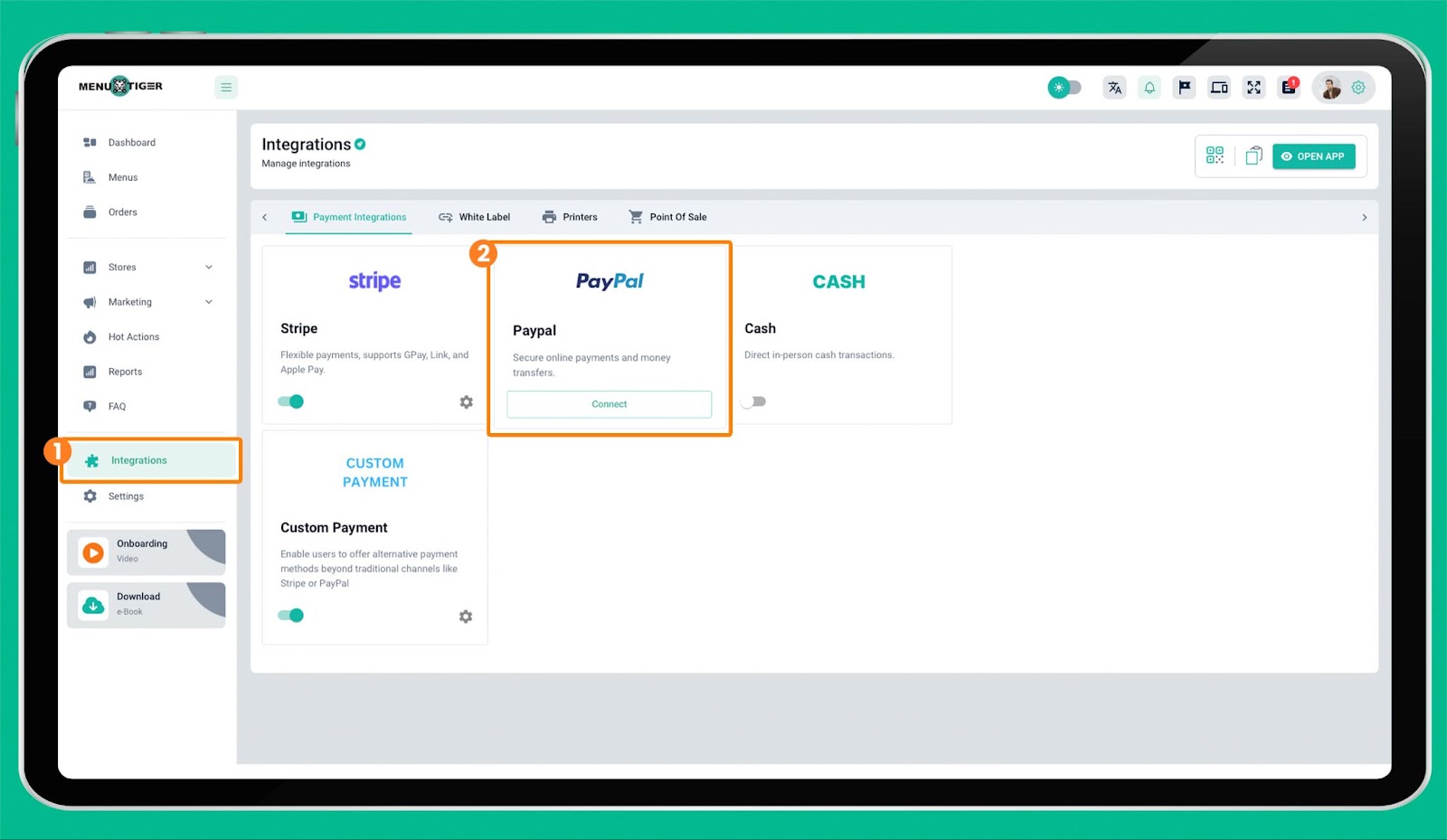
- Click Connect to enable the PayPal option.
- Input your PayPal client ID and hit ‘Save.’
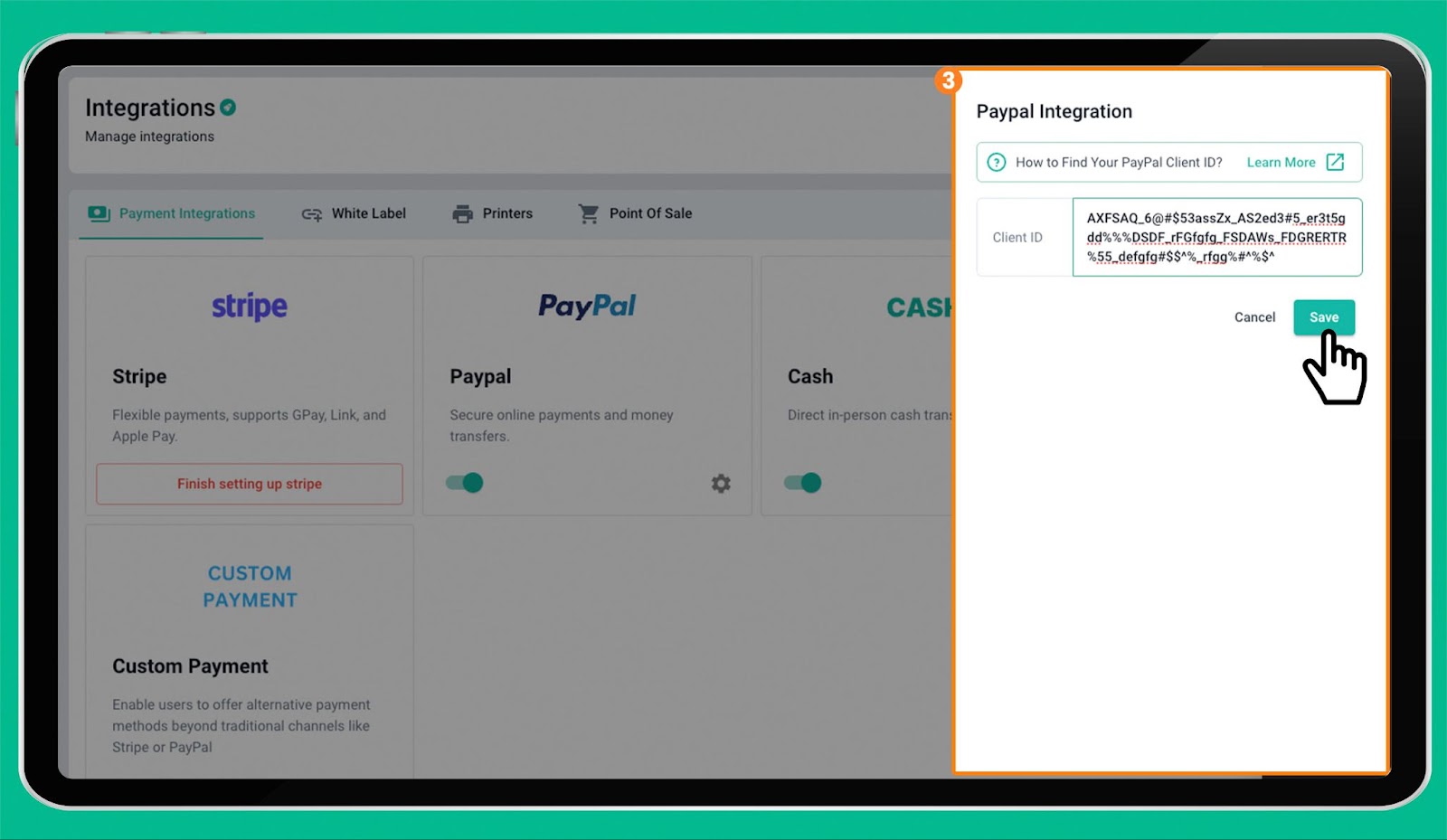
To find your Paypal Client ID, follow these steps:
- Go to https://developer.paypal.com/developer/applications.
- Click on “Create app” under the “Live” tab.
- View the details of your app by clicking on your app name, then copy the Client ID found on the page.
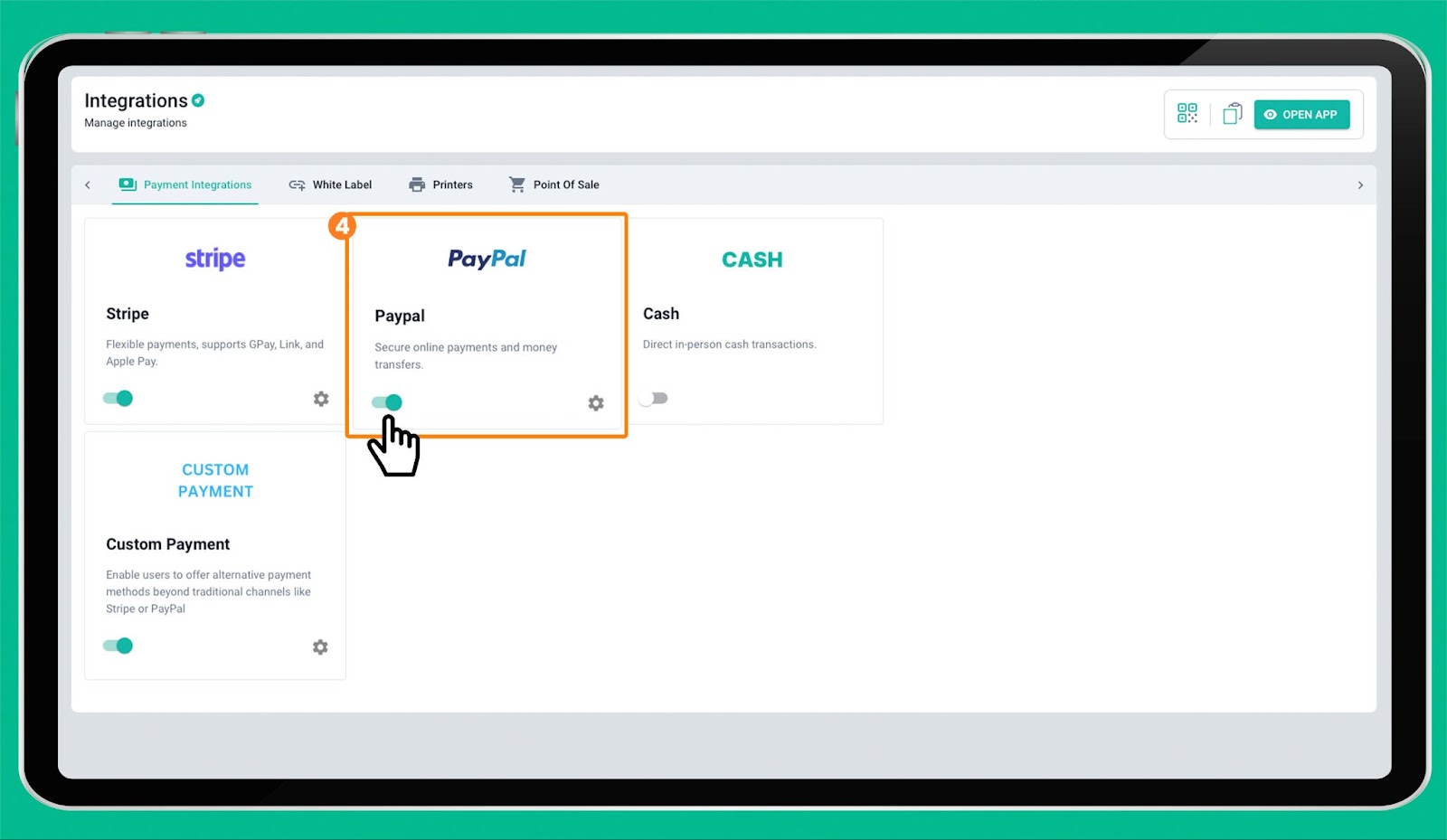
- Click the toggle button to enable the PayPal payment system in your online menu.
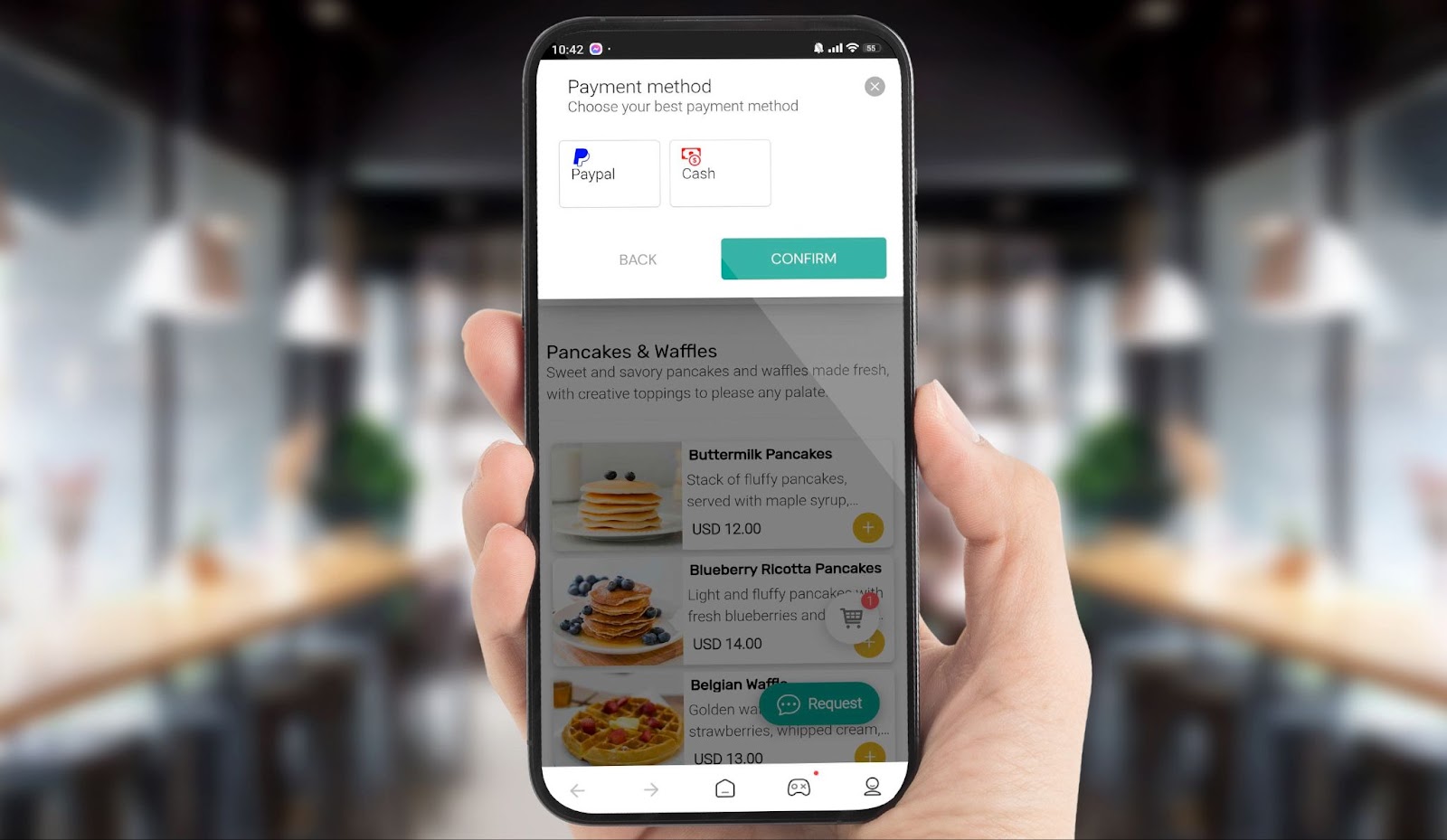
- To test your PayPal integration, make sure the PayPal logo appears on the checkout page of your online ordering page.
WATCH VIDEO: How to integrate PayPal in MENU TIGER
If you run into any questions or technical issues related to MENU TIGER, please reach out to our friendly support team.